
Overview
YuHex is a simple binary editor for Windows.
It supports hex editing, text display, search, offset jumps, a data inspector, struct view, localization, and the core tools needed to inspect and edit binary files.
Free Edition and Microsoft Store Edition
Try the Free Edition first. If you like YuHex, please consider the Microsoft Store Edition to use the current Store release and support continued development.
| Comparison | Free Edition | Microsoft Store Edition |
|---|---|---|
| Current version | 2.02 | 3.01 |
| Installation | ZIP | Microsoft Store |
| Updates | Manual download | Store-managed updates |
| Best for | Trying YuHex | Using the current Store release and supporting development |
Media Coverage
Articles and listing pages that introduce YuHex.
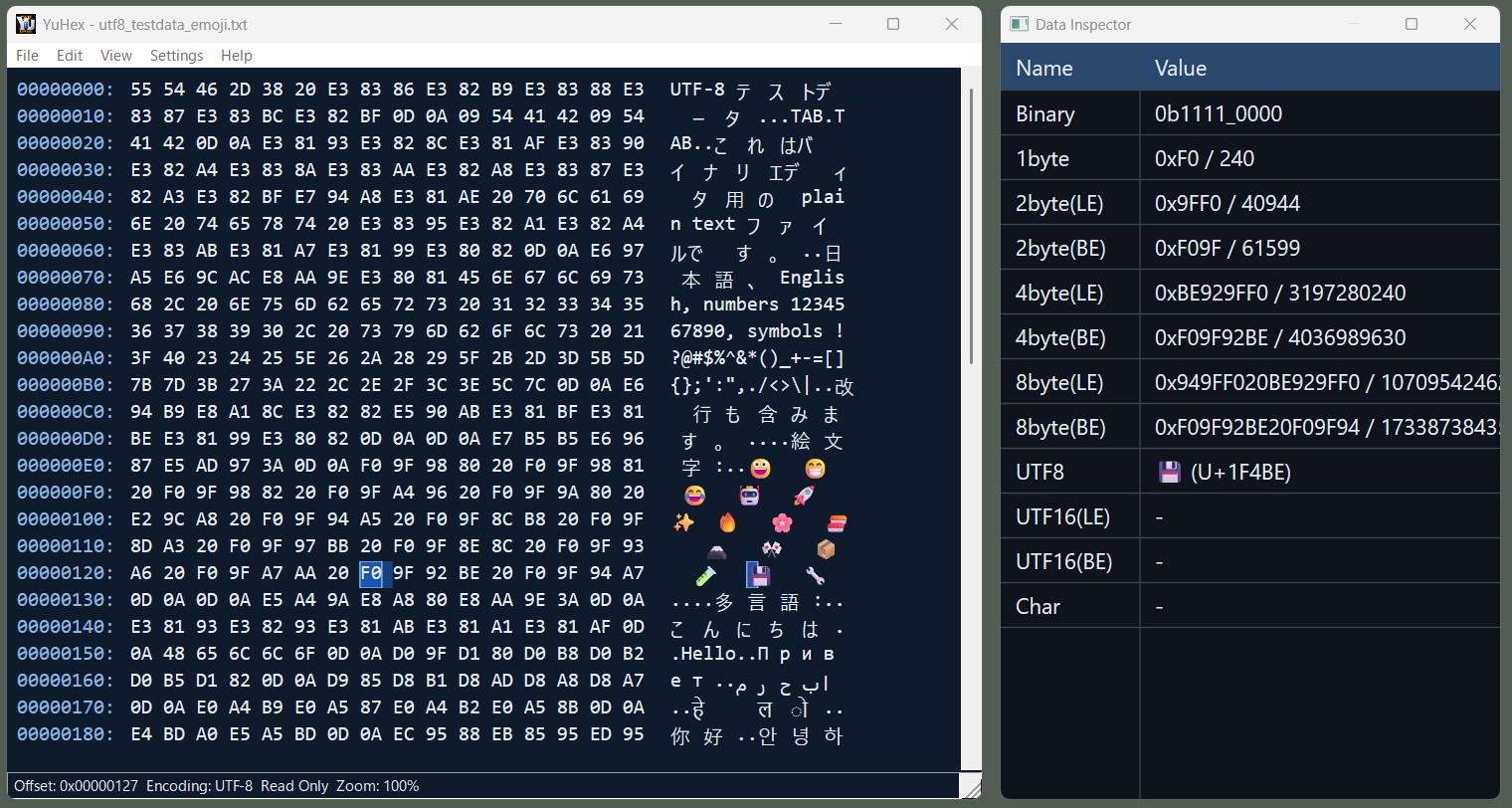
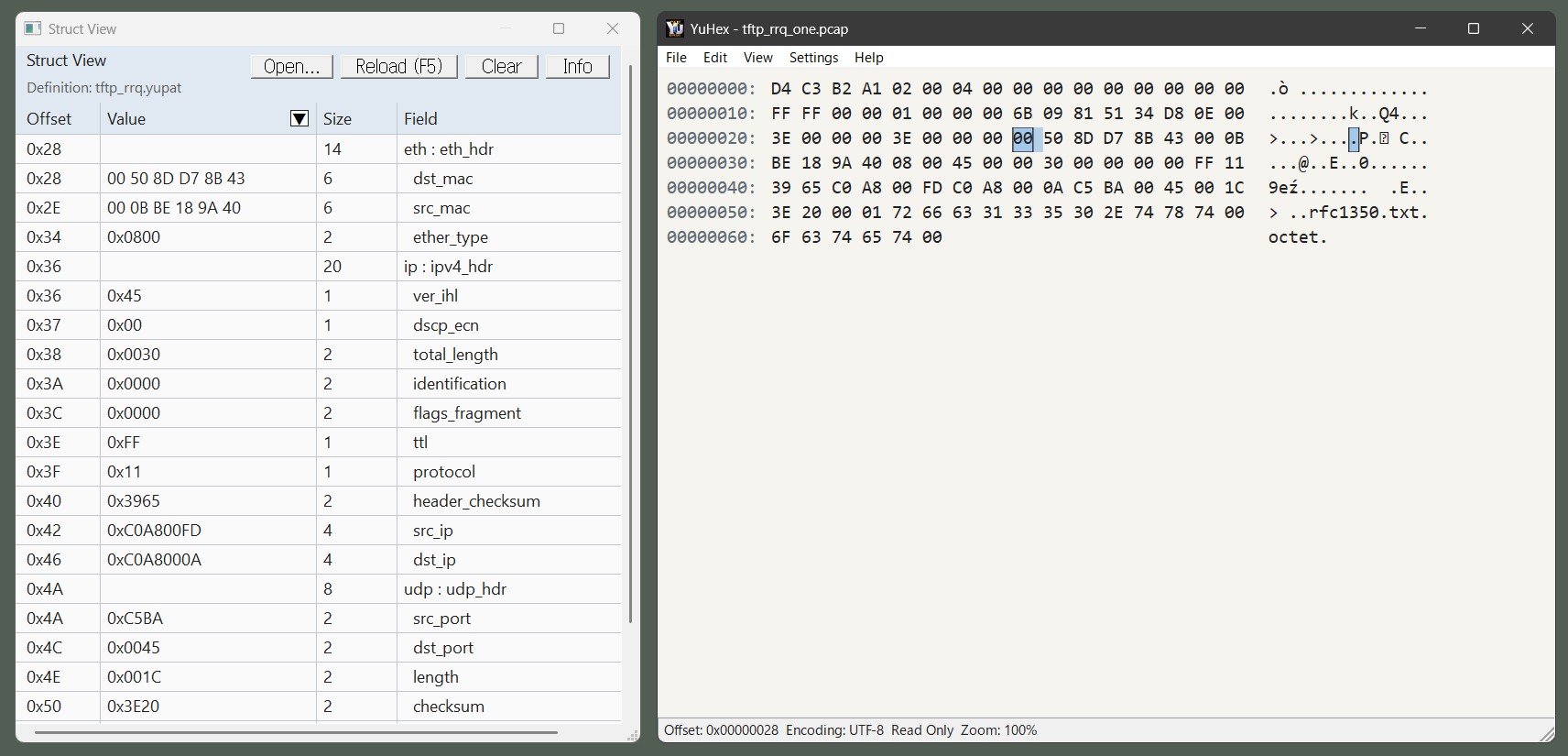
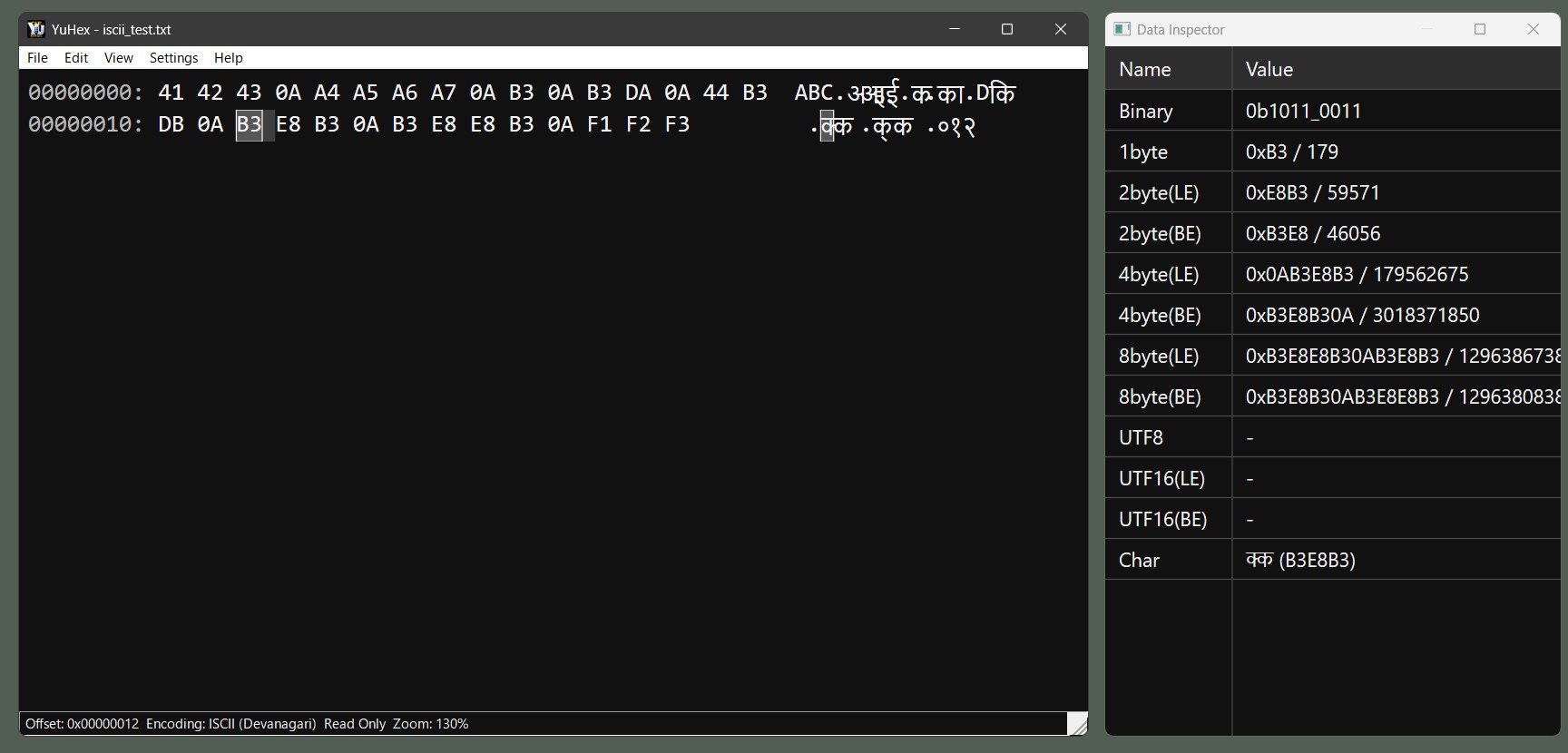
Screenshots
Download
Free Edition
| Version | Release Date | Download |
|---|---|---|
| 2.02 | July 2, 2026 | YuHex-2.02-win-x64.zip |
Microsoft Store Edition
| Version | Release Date | Download |
|---|---|---|
| 3.01 | July 2, 2026 | Get it from Microsoft Store |
Features
Hex View and EditingEdit bytes in hex view with ASCII/Unicode text display, overwrite/insert mode, and selection copy.
Large File SupportWork with files larger than 4GB and long file paths.
Data InspectorInspect bytes at the cursor as integers, floating-point values, and text.
Struct ViewUse
.yupat definition files to inspect binary layouts as structured data.Text EncodingsSupports UTF-8, UTF-16, Shift_JIS, Korean, Chinese, Thai, Vietnamese, ISCII, and more.
Search and JumpFind data in files, reuse recent search terms, and jump to a specific offset.
Display ControlDark mode, zoom, font settings, and DPI awareness help fit your working environment.
Localized UISupports English, Japanese, European languages, Korean, Chinese, and more.
Struct View
Settings File
YuHex saves settings in yuhex.settings.json. The location depends on the distribution format.
| ZIP Edition | If yuhex.portable exists next to the executable, settings are saved next to the executable. |
|---|---|
| Microsoft Store Edition | Settings are saved to %LOCALAPPDATA%\Packages\<PackageFamilyName>\LocalState\yuhex.settings.json. |
System Requirements
| OS | Windows 11 (64-bit) |
|---|---|
| Processor | Intel / AMD 64-bit processor |
| .NET Framework | Not required (native application) |
License
The license is provided in English. See the License page for details.
Copyright
Copyright belongs to Yutaka Hirata.
(C) 2026 Yutaka Hirata.
Keyboard Shortcuts
Global
Ctrl+F | Open the search dialog. |
Ctrl+G | Open the Go To dialog. |
Ctrl+R | Toggle Read Only mode. |
Ctrl + Mouse Wheel | Adjust the zoom level. |
Hex Dump Area
Ctrl+C | Copy the current selection. |
Esc | Clear the current selection. |
Insert | Toggle overwrite and insert mode. |
Delete | Delete one byte at the cursor, or delete the selection. |
Backspace | Delete one byte before the cursor, or delete the selection. |
Up / Down / Left / Right | Move the cursor. |
Page Up / Page Down | Move one page up or down. |
Home / End | Move to the start or end of the current row. |
Ctrl+Home / Ctrl+End | Move to the start or end of the file. |
0-9, A-F, a-f | Enter hexadecimal values for editing. |
Other
F5 | Reload the currently opened .yupat definition file in Struct View. |
Ctrl+C, Ctrl+Insert | Copy the selected value in Data Inspector or Struct View. |
Ctrl+A | Select all text in the info pane or error message area. |
Enter | Execute the default action in search, Go To, and about dialogs. |
Esc | Cancel the current search or close an idle dialog. |
Alt+F / Alt+E / Alt+V / Alt+H | Open File, Edit, View, and Help menus. |
Release History
Free Edition / Microsoft Store Edition
View release history